Shooting without a cable has been possible in Capture One for years. What was missing was speed, and with it, the confidence to use wireless when the shoot depends on it. Wireless was the option you took when a cable wasn’t practical, not one you chose on merit.
2nd Gen Wireless Tethering was built to change that. Here’s how it works, why it works the way it does, and how to get the best results.
The problem
It’s tempting to treat slow wireless tethering as a software problem. The obvious responses are to optimize the transfer, tune the protocol, cut overhead. Those things help at the margins, but they don’t change the basic situation: the file still must cross the air.
A full-resolution RAW file is tens of megabytes. A wireless connection on set rarely performs as well as its specification suggests. Other devices compete for the same network, other networks sit nearby, and the camera is writing to its own memory card at the same time. Moving a file that size across a connection like that takes 10 to 25 seconds.
That left two levers: make the file smaller, or change what arrives first. We used both.
What arrives first
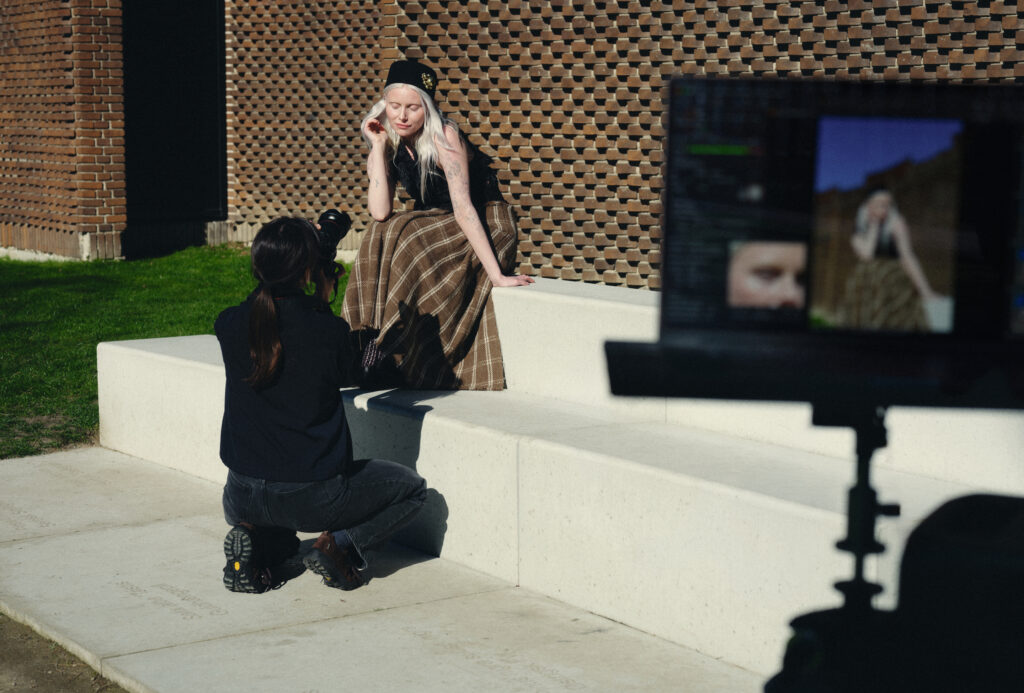
When you take a shot, a supported Canon body generates a smaller RAW file and sends it over Wi-Fi immediately. It appears in Capture One in seconds and is editable the moment it arrives. The full-resolution file follows in the background, in chunks, without blocking anything you do next.
There’s a reason the reduction happens in the camera rather than in Capture One. Anything made on the computer would need the full-resolution RAW to arrive first, and that arrival is the wait we were trying to remove. The smaller file has to exist before transmission, which puts the work at the camera end.
What matters is what that first file is. It’s a real RAW at lower resolution, not a JPEG preview. The full editing toolset is available on arrival, and your edits, crops, and metadata carry onto the full-resolution version when it lands.
How the transfer behaves once you’re shooting
When a full-resolution file finishes transferring, Capture One reconciles the two versions. The full-resolution file replaces the smaller one on disk, and any edits, crop, and metadata already applied remain in place. No action is required, and the workflow is not interrupted.
While a frame is still represented by the smaller file, a signifier appears on its thumbnail in the browser and disappears once the full-resolution file has arrived. It is informational and shows briefly which frames are still waiting. The Camera tool includes two progress indicators, one for file transfer and one for memory card scanning, so the state of both the camera and Capture One stays visible while you work.
2nd Gen turns on automatically when a supported camera connects wirelessly with a card inserted. To turn it off, go to Camera Settings > Wireless Mode and choose Standard.
“I’ve been dreaming of a wireless tethering system that actually works for years. Testing this on a commercial-style shoot, I was excited to see it deliver both the speed and freedom I need, with complete confidence in every capture. It’s one of the few true game changers I’ve experienced in digital photography.”
– Sam Robinson, Photographer
If the connection drops
Any tethered connection can break, whether a cable gets pulled or a wireless link drops. 2nd Gen requires a memory card in the camera, and the card holds every frame as it’s captured, so your images exist independently of the transfer.
If the connection drops, Capture One reconnects automatically and replaces partial files with complete ones. It leaves edits, crops, and metadata already applied untouched. This is ReTether, which we built for wired shooting and which now covers wireless too.
If a full-resolution file never arrives, after a long disconnection or a battery that runs out before the queue clears, the smaller RAW stays fully usable and exportable, just at smaller dimensions. The full-resolution file is still on the memory card. You can import it manually, though it won’t automatically replace the file already in the session.
“We introduced ReTether years ago, but for this feature we made it even more reliable and stable. It is one of the major building blocks of our innovation.”
— Emanuele Zatting, Principal Engineering Manager, Capture One
Working with Canon
Because the camera generates the smaller RAW file, 2nd Gen depends on what the camera itself can do. Canon’s bodies can do it, and the feature exists in its current form because of the technical collaboration between Capture One and Canon.
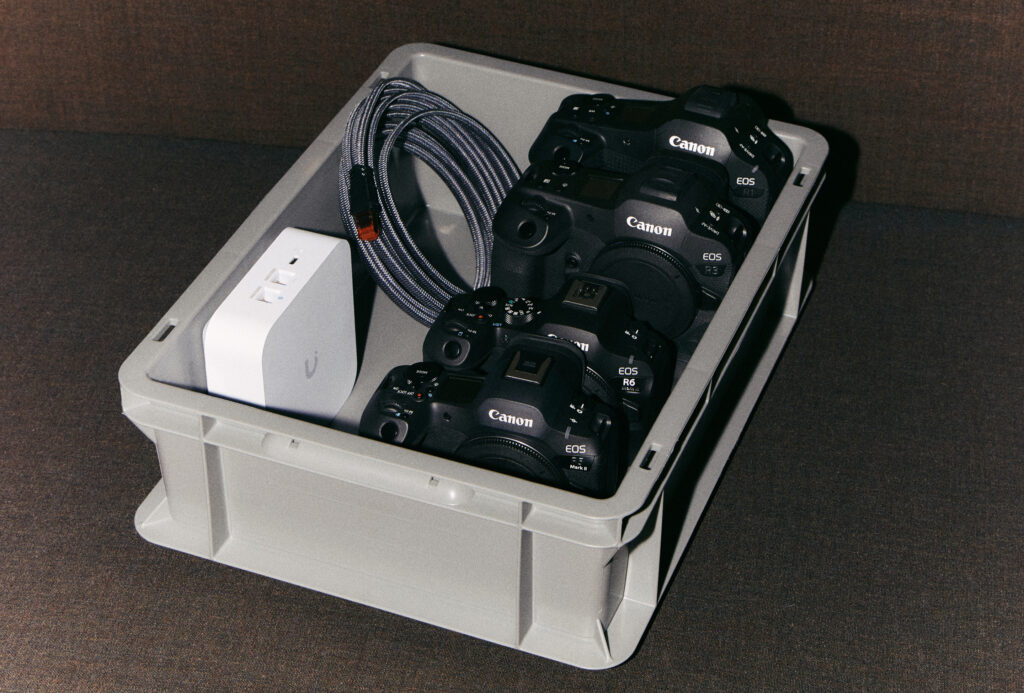
Today, 2nd Gen Wireless Tethering works with the Canon EOS R1, EOS R3, EOS R5 Mark II, and EOS R6 Mark III.
Recommendations
The network
The network is the largest single factor. Where the camera supports it, use the 5 or 6 GHz band. We don’t recommend 2.4 GHz for this workflow. A slower band caps transfer speed regardless of what the camera can do, so confirm which band your connection is actually using.
Both a dedicated router and the camera’s own hotspot work in practice.
A router gives you more stability and greater range, so if the shoot depends on the connection holding, use one. It also keeps you connected to the internet, so features like Capture One Live stay available. A Wi-Fi 7 router on the 5 or 6 GHz band, used only for tethering rather than shared with other devices, gives the most consistent transfers. Connecting the computer to that router over Ethernet helps further, since it removes a wireless hop.
Security settings matter too. In some setups, WPA3-only has performed better than mixed WPA2/WPA3 mode.
“I’m very impressed with the 3x performance improvements that 2nd Generation Wireless Tethering provides when using my Canon R1. The transfer speed when using a Wi-Fi hotspot compared to 1st Gen is significant. In practice, it feels instant.”
— Mogens Hansen, Photographer. Tested on Canon EOS R1 with an external router.
File format and hardware
File size is one of the largest factors in transfer time, so anything that reduces it helps. C-RAW is smaller than standard RAW and transfers faster.
Your memory card matters for both file formats, since the card sits in the path either way. High-performance CFexpress cards are generally faster than SD.
Battery use is about the same as standard wireless tethering. Nothing extra to plan for.
Camera firmware
Keep your Canon body on the latest firmware.
Preview size
Preview size affects how quickly images render once they arrive, not how fast they transfer. Using the recommended size balances image quality and render speed.
The full set of setup recommendations is in our support article.
What had to be right?
Three things had to be right.
2nd Gen needed to be fast enough that the cable becomes a preference rather than a requirement. Frames needed to be safe, no matter what the network did. And the file that arrives first needed to be a real RAW, so the work you do in a frame’s first seconds carries through to delivery without being done twice.
Those priorities shaped every part of the feature. We hope you enjoy it.
Read the full release notes from Capture One 16.8.6
2nd Gen Wireless Tethering, including the preview-first RAW transfer and the handover from smaller file to full-resolution file, is the subject of pending patent applications.

Johanna Carlsson
Johanna is a Senior Product Marketing Manager who joined Capture One in November 2026. She has several years of experience in technology and product marketing, working at the intersection of marketing and product. She's particularly interested in understanding photographers, their creative processes, and what they need from the tools they use.